

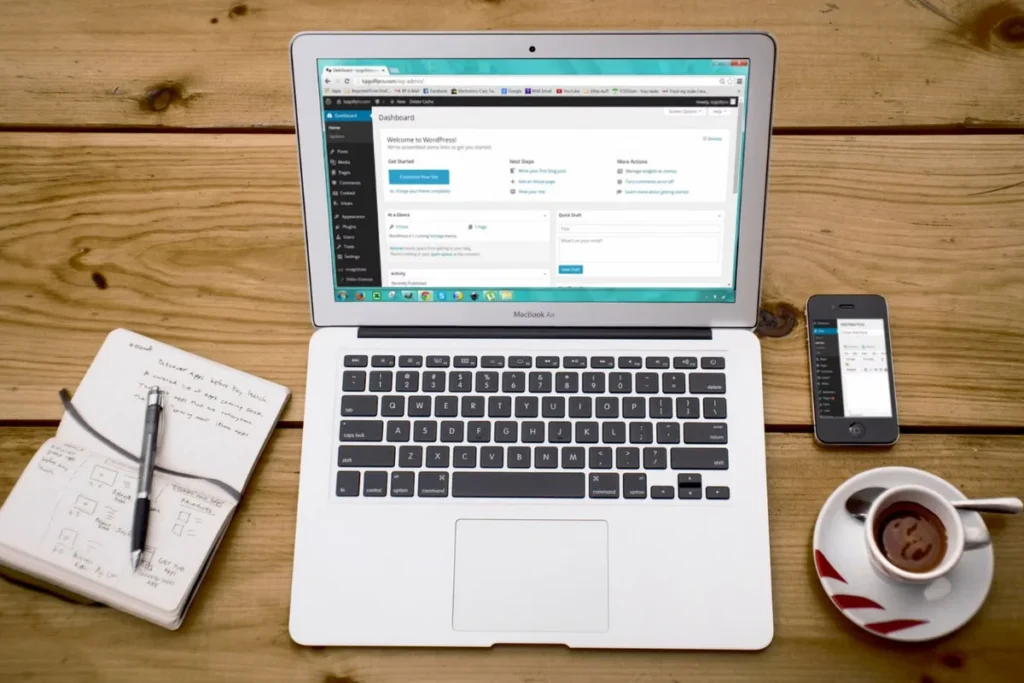
Short answer: this WordPress website guide shows Saudi business owners how WordPress works, how to design a website in WordPress step by step, and what to set up for Arabic, speed and security. WordPress is free software that runs a large share of the world’s websites, and with the right theme and page builder it suits most business sites and online stores.
You can follow this WordPress web design tutorial yourself, or have our team handle it through our website design and development service.
What is WordPress website design?
WordPress is a content management system: software that lets you add and edit pages, posts, products and images without writing code. WordPress website design means choosing a theme, building page layouts (often with a page builder such as Elementor), adding your content and branding, and setting up the plugins that add features such as forms, SEO and an online store with WooCommerce.
WordPress.org
Free, self-hosted software. You choose your own hosting and domain and own everything. This is what most business sites use.
WordPress.com
A hosted service run by Automattic with plans and some limits on plugins and themes depending on the plan.
WooCommerce
A free WordPress plugin that turns the site into an online store with products, cart and checkout.
Why many Saudi businesses choose WordPress
- Full ownership of the site, content and data.
- Strong Arabic and right-to-left support in WordPress itself.
- Thousands of themes and plugins for almost any feature.
- Good foundations for SEO and content marketing.
- Many developers and agencies know it, so you are not locked to one supplier.
How to design a website in WordPress: 10 steps
- Plan the site: list your pages, the main action you want visitors to take, and whether you need Arabic, English or both.
- Register a domain: a .sa or .com.sa domain, or a .com, in your brand name.
- Choose hosting: a host with good speed in the region, daily backups, SSL and support.
- Install WordPress: most hosts offer one-click installation.
- Pick a lightweight theme: fast, well maintained and compatible with your page builder.
- Install a page builder: such as Elementor, and build a header, footer and page templates.
- Build the key pages: home, services, about, contact and any landing pages, mobile first.
- Add essential plugins: SEO, forms, caching, security and backups; avoid installing more than you need.
- Set up SEO and tracking: titles, descriptions, sitemap, Google Search Console and Google Analytics 4.
- Test and launch: check every page on a phone, test forms and WhatsApp links, then go live.
Setting up an Arabic WordPress website
WordPress supports Arabic and right-to-left layouts, but a bilingual business site needs a little more planning:
- Use a multilingual plugin so each page has an Arabic and an English version with its own URL.
- Choose fonts designed for Arabic screens, with enough size and line height on mobile.
- Check that the theme and page builder mirror menus, icons and forms correctly in right-to-left mode.
- Write Arabic content natively and research Arabic keywords separately.
Essential plugins for a business WordPress site
SEO
Rank Math or Yoast for titles, descriptions, sitemaps and schema.
Forms
A form plugin connected to email, WhatsApp or your CRM.
Speed
Caching and image optimisation to keep pages fast on mobile.
Security
Firewall, login protection and malware scanning.
Backups
Automatic daily backups stored off the server.
How to put a WordPress website under maintenance
When you redesign or fix a live site, you may want visitors to see a short notice instead of a half-finished page. There are two common ways:
- Maintenance mode setting: page builders such as Elementor include a Coming Soon and Maintenance Mode option. Maintenance mode tells search engines the site is temporarily down, which is right for short work.
- A maintenance plugin: lets you design a simple page with your logo, a message and contact details.
Keep maintenance mode short. For longer redesigns, build on a staging copy and switch over when it is ready, so customers and Google never see a WordPress website under maintenance for days.
Keeping a WordPress website healthy
- Update WordPress, themes and plugins regularly, after a backup.
- Remove plugins and themes you no longer use.
- Use strong passwords and two-factor login for every admin account.
- Check speed and broken links every month.
- Renew the domain, hosting and premium licences on time.
Want to budget for all of this? Our guide on how much a website costs in Saudi Arabia explains the main costs, and how to choose a web design company in Riyadh lists the questions to ask before hiring.
Should you build it yourself or hire an agency?
A simple site can be built by a business owner who has time to learn. Hire help when you need a bilingual site, an online store, integrations or a design that has to win enquiries from day one. MTR builds WordPress websites with native Elementor containers, so you can edit text and images yourself after launch. MTR sends a written, fixed quote after a free call.
Need a WordPress website built properly in Arabic and English? Talk to our web design company in Riyadh.
Book a free 30-minute call with our Riyadh team. We reply within 24 hours, Sunday to Thursday, and send a written, fixed quote before any work starts.
For a full schedule of updates, backups and checks, see our website maintenance checklist.
Frequently asked questions
What is WordPress website design?
It is building a website on WordPress: choosing a theme, designing page layouts, adding content and branding, and installing plugins for features such as forms, SEO and ecommerce.
How do I design a website in WordPress?
Plan your pages, get a domain and hosting, install WordPress, choose a theme and page builder, build your pages mobile first, add essential plugins, set up SEO and tracking, then test and launch.
Is WordPress good for Arabic websites?
Yes. WordPress supports Arabic and right-to-left layouts. Use a multilingual plugin, Arabic-ready fonts and a theme tested in RTL mode.
How do I put my WordPress website under maintenance?
Use the maintenance mode option in your page builder or a maintenance plugin, and keep it short. For long redesigns, use a staging site instead.
Can MTR build my WordPress website?
Yes. MTR designs and builds WordPress and WooCommerce websites from Riyadh, in Arabic and English, with native Elementor layouts you can edit.
Next step
Tell us what your website needs to do and we will plan the right WordPress setup. Book a free call with MTR. Our Riyadh team works Sunday to Thursday and replies within 24 hours. Prefer to call? +966 56 161 8473.
Written by MTR Marketing Agency, Riyadh. Last reviewed: November 2026. Sources: WordPress.org documentation.
