


Short answer: Meta Ads Manager is Meta’s tool for creating, running and measuring ads on Facebook, Instagram, Messenger and the Audience Network. On a computer, go to adsmanager.facebook.com or open Facebook’s menu and choose Ads Manager. Instagram ads are also managed in Meta Ads Manager, since the Instagram app itself only offers simple boosting.
This walkthrough is for Saudi business owners who want to understand the tool before spending. If you would rather have specialists run it, see our Facebook and Instagram ads service.
Where is Meta Ads Manager on Facebook?
- On a computer, open Facebook and click the Menu icon.
- Under Professional or Create, choose Ads Manager, or go straight to adsmanager.facebook.com.
- You can also reach it from Meta Business Suite, under All tools, then Ads Manager.
- On a phone, use the Meta Ads Manager app or open Ads Manager in a mobile browser.
If you manage ads for a company, use a Meta Business portfolio (Business Manager) so the ad account, Page, Instagram account and pixel belong to the business, not to one person’s profile.
Where is Meta Ads Manager on Instagram?
There is no full Ads Manager inside the Instagram app. Instagram lets professional accounts boost posts and reels, which creates simple ads. For proper targeting, testing and conversion tracking, connect your Instagram account to your Meta Business portfolio and create campaigns in Meta Ads Manager, choosing Instagram placements.

How Meta Ads Manager is organised
Campaign
Sets the objective: what you want people to do, such as send leads or buy.
Ad set
Sets the audience, locations, budget, schedule and placements.
Ad
The creative people see: image or video, text, headline and call-to-action button.
Keeping this structure clean makes testing easier. For example, one campaign for leads, with separate ad sets for Riyadh and Jeddah, and two or three ads in each.
Setting up Meta Ads Manager: first steps
- Create a Meta Business portfolio and add your Facebook Page and Instagram account.
- Create an ad account with the right currency and time zone; these are hard to change later.
- Add a payment method in the ad account so ad spend is billed directly by Meta.
- Install the Meta Pixel and Conversions API on your website to track enquiries and sales.
- Add team members with the access level they need, rather than sharing logins.
Choosing a campaign objective
Awareness
Reach as many relevant people as possible; good for launches.
Traffic
Send people to your website or app.
Engagement
Messages, video views or interactions, including WhatsApp conversations.
Leads
Collect enquiries through instant forms, calls or your website.
Sales
Purchases or high-value actions tracked by the pixel.
Choose the objective that matches the result you want, not the cheapest-looking one. A traffic campaign brings clicks; it does not necessarily bring enquiries.
Targeting your audience in Saudi Arabia
- Choose locations carefully: whole Kingdom, specific cities or a radius around your branch.
- Use language targeting where it matters, for Arabic or English ads.
- Start with broad audiences plus a few interests, and let the algorithm learn.
- Build custom audiences from website visitors, customer lists and video viewers.
- Create lookalike audiences based on your best customers.
Our guide to Instagram and Facebook ads targeting goes deeper on interests and audiences.
Reading reports in Meta Ads Manager
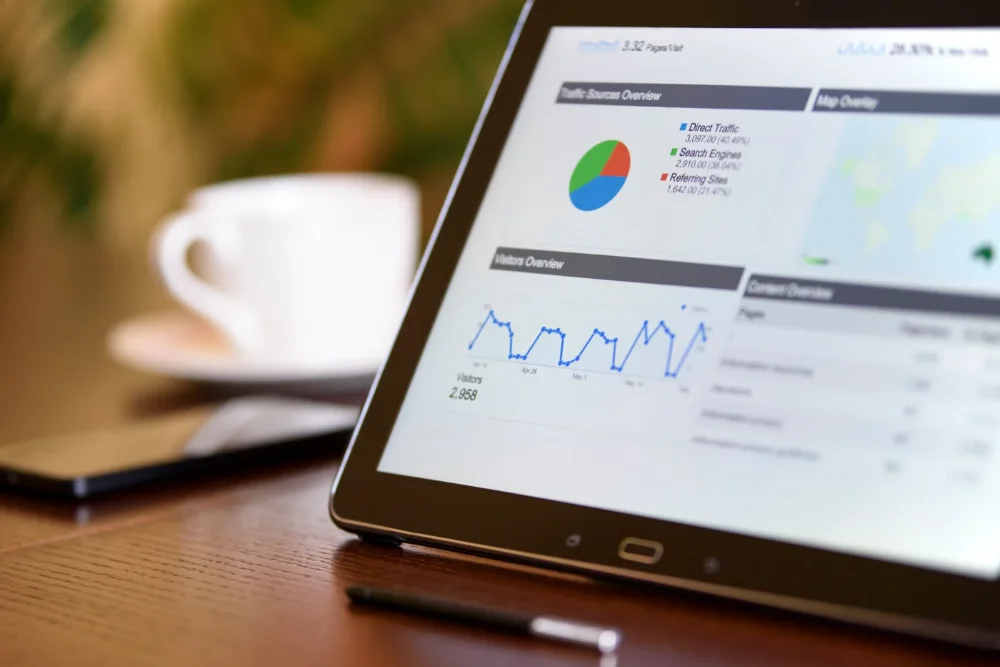
The default columns show reach, impressions and clicks. Change them to show what matters for your goal: results, cost per result, leads or purchases, and, for stores, purchase value and ROAS. Use the breakdown menu to compare age, gender, placement and region, and compare date ranges to see trends.
- Judge ads on cost per result over several days, not a single day.
- Check that platform-reported leads match real enquiries in your inbox or CRM.
- Avoid editing campaigns every day; frequent changes reset learning.
- Pause ads whose frequency is high and results are falling; refresh the creative.
Is Facebook Ads Manager down? What to check
- Check Meta’s official status page at metastatus.com for reported outages.
- Log out, clear the browser cache or try another browser or the mobile app.
- Check Account Quality in Meta Business Suite for disabled accounts or payment problems.
- Check whether your ads are paused because of a failed payment or policy review.
- If an account is restricted, request a review through Account Quality rather than opening a new account.
Common beginner mistakes
- Using the Boost button for everything instead of planned campaigns.
- Running ads without the pixel, so results cannot be measured.
- Targeting the whole Kingdom when you only serve one city.
- Too many ad sets with tiny budgets, so none gets enough data.
- Sending ad traffic to a slow or unclear landing page.
For a full step-by-step on running campaigns, read how to run Facebook and Instagram ads in Saudi Arabia. MTR sends a written, fixed quote after a free call.
Want an expert team to run Meta Ads Manager for you? Talk to our advertising agency in Riyadh.
Book a free 30-minute call with our Riyadh team. We reply within 24 hours, Sunday to Thursday, and send a written, fixed quote before any work starts.
Tracking comes first: see how to set up the Meta Pixel and Conversions API.
Before you press Boost, read Facebook ads vs boosted posts.
Frequently asked questions
Where is Meta Ads Manager on Facebook?
Open the Facebook menu on a computer and choose Ads Manager, go to adsmanager.facebook.com, or open it from Meta Business Suite under All tools.
Where is Meta Ads Manager on Instagram?
Instagram has no full Ads Manager in the app. Connect your Instagram account to your Meta Business portfolio and manage Instagram ads in Meta Ads Manager.
Is Facebook Ads Manager down?
Check metastatus.com for outages, then try another browser or the app, and check Account Quality for payment or policy issues.
Is Meta Ads Manager free?
Yes, the tool is free. You pay only for the ad spend, which Meta bills to the payment method in your ad account.
Can MTR manage my Meta Ads Manager account?
Yes. MTR sets up and manages Facebook and Instagram campaigns from Riyadh, with the ad account kept in your business name.
Next step
Tell us your goal and budget and we will plan your first Meta campaign. Book a free call with MTR. Our Riyadh team works Sunday to Thursday and replies within 24 hours. Prefer to call? +966 56 161 8473.
Written by MTR Marketing Agency, Riyadh. Last reviewed: November 2026. Sources: Meta Business Help Center; Meta Status (metastatus.com).
